
Best VPN Services 2026: 11 VPNs Compared on Price & Features


VPNs allow you to create a secure and encrypted connection between your device and the internet, protecting your online privacy and helping you access content that may be restricted in your region.
Choosing the right VPN can be a daunting task, as there are many providers available, each with its own set of features and pricing options.
We’ve reviewed some of the top VPN services available today with regard to their prices and discounts, security features, speed, data collection policies, and the number of connections and servers they offer.
Disclosure: some links on this page are affiliate links. We may earn a commission at no extra cost to you. It does not change how we evaluate options.
Prices were checked in November 2026 and are in US dollars. VPN prices change often, especially around Black Friday, so check the provider’s site before you buy.
11 Best VPNs: Expert Picks
- Norton Secure VPN – Best VPN overall
- Avast SecureLine VPN – Fastest VPN
- UltraVPN – Best VPN for country selection
- Hotspot Shield VPN – Best VPN for Android
- Betternet VPN – Best free VPN
- NordVPN – Best VPN for iPhone
- IPVanish VPN – Best VPN for streaming
- Surfshark – Best VPN for big households
- CyberGhost VPN – Best VPN with ad blocker
- ExpressVPN – Best VPN for torrenting
- PrivadoVPN – Best cheap VPN
Our top picks
Best VPNs: Quick Overview
The best VPN services are ones that can offer competitive prices, discounts, and free memberships to test the service alongside key features, like data protection, access to geo-specific and blocked sites, and quick download speeds.
Aside from all those useful features, VPNs are essential to avoid cyberattacks, data theft, and third-party access to your browsing history. Below we cover the eleven best VPN services available today and rate how well they can help protect your online privacy and security.
| VPN | Best for | Price | Our score | |
|---|---|---|---|---|
| 1. Norton Secure VPN | Overall | From $99.99/year | 4.7/5 | Visit → |
| 2. Avast SecureLine VPN | Speed | From $3.99/mo (2–3-year plan) | 4.6/5 | Visit → |
| 3. UltraVPN | Country selection | From $2.99/mo (first year) | 4.4/5 | Visit → |
| 4. Hotspot Shield VPN | Android | $12.99/mo or $95.99/year | 4.5/5 | Visit → |
| 5. Betternet VPN | Free VPN | Free plan; paid from $12.99/mo | 4.4/5 | Visit → |
| 6. NordVPN | Streaming | From $3.49/mo (2-year plan) | 4.3/5 | Visit → |
| 7. IPVanish VPN | Netflix | From $2.19/mo (2-year plan) | 4.2/5 | Visit → |
| 8. Surfshark | Big households | From $2.49/mo (2-year plan) | 4/5 | Visit → |
| 9. CyberGhost VPN | Ad blocker | From about $2.03/mo (2-year plan) | 3.9/5 | Visit → |
| 10. ExpressVPN | Torrenting | From $2.99/mo (2-year plan) | 3.8/5 | Visit → |
| 11. PrivadoVPN | Low price | Free plan; paid from $1.11/mo | 3.8/5 | Visit → |
Prices are the plan prices listed in each review below; introductory prices renew higher.
1. Norton Secure VPN – Best VPN Overall
What we like
- Flexible and reasonable price
- Blocking of ad trackers
- Split tunneling
- Offers a kill switch feature
- Revolutionary new user interface
What could be better
- Split tunneling only on Windows and Android
- Full price is much higher after the first term
Norton is our best choice overall because it has an easy-to-use interface, rapid speed, and advanced 256-bit AES encryption that protects all your data. It’s available on all major platforms, including Windows, macOS, iOS and Android, plus Apple TV, Google TV and Fire TV.
For those who value privacy above all else, Norton Secure VPN doesn’t collect data on online traffic or anything you download. There’s a “kill switch” option that instantly shuts you from the internet if the connection to your VPN stops for any reason.
Norton Secure VPN is a no-frills, competitively-priced service in the VPN market, which is available both as part of Norton’s digital security solutions and a standalone service.
Norton Secure VPN is now sold as Norton VPN, in three tiers. These are the full yearly prices; first-term deals are often much lower, recently as little as $2.59/month on a 2-year Standard plan:
- Norton VPN Standard (10 devices): $99.99/year
- Norton VPN Plus (10 devices): $119.99/year
- Norton 360 VPN Ultimate (20 devices): $149.99/year
Norton VPN is sold on yearly and 2-year plans, both with a 60-day money-back guarantee.
The Norton Secure VPN provides top-notch security measures such as 256-bit AES encryption, a no-logs policy, a kill switch, and security protocols that are widely used in the industry.
One of the most secure VPNs, Norton also offers additional features, including DNS and WebRTC leak protection, an ad blocker, split-tunneling, and Wi-Fi Security to ensure complete online protection.
Norton says its VPN service doesn’t log your browsing activity, and independent audits by VerSprite in 2024 and 2025 found that it doesn’t collect or store browsing history, DNS requests or IP addresses.
Like most security products, Norton still collects some technical data, which its privacy notice says can include:
- Potential security risks.
- Operating System version.
- Device name.
- The URLs of websites that the VPN considers possibly fraudulent in nature.
- Additional data is used to assess and enhance the performance of Norton products.
- Device type.
- Files containing malware that may contain personal information but can be manually deactivated.
The number of simultaneous connections supported by Norton Secure VPN depends on the plan you choose: Standard and Plus cover up to 10 devices, and Ultimate up to 20.
To switch between devices, you can log into the VPN on the new device and disconnect the old one. This VPN can be a great option for families with multiple members.
Norton VPN has 130+ server locations in more than 90 countries, after an expansion in May 2026. It doesn’t publish a total server count.
You can also pick a city in some countries, including 25 cities in the US.
2. Avast SecureLine VPN – Fastest VPN
What we like
- A good mix of server locations
- Privacy policies that are open and honest
- Superb download speeds
- Up to 10 simultaneous connections are possible
- No logs policy
What could be better
- Hasn’t made a third-party audit public.
- Keeps connection logs for 12 months.
Avast SecureLine VPN, renamed Avast Premium VPN in October 2026, is a virtual private network service offered by Avast, a well-known company due to its widely-used antivirus software.
The VPN offers an intuitive interface, a wide variety of server locations to choose from, rapid download speeds, establishing a connection in under five minutes.
Avast SecureLine VPN offers three subscription plans which have been described below:
- One-year Plan: $4.99/month ($59.88 for the first year, then $99.99/year)
- Two-year/Three-year Plan: $3.99/month, then $99.99/year
If you opt for Avast SecureLine, you will be allowed to try it out for free for 60 days, but you will need to provide your payment information to activate this offer. The product also comes with a full month’s money-back guarantee.
Avast SecureLine VPN has high standards for privacy protection and uses advanced security protocols like military-grade 256-bit AES encryption with OpenVPN, WireGuard and Avast’s own Mimic protocol to secure all online data transmissions.
To prevent online traffic from being traced back to you, it masks your IP address and connects you to other Avast VPN users’ IP addresses.
The VPN also has a DNS leak protection feature that stops your internet service provider from seeing your IP address or monitoring your online activities.
A kill switch feature is included in Avast SecureLine VPN, which automatically disconnects your internet connection if the VPN connection fails. However, if the VPN application causes a crash, the kill switch will not activate.
Avast SecureLine VPN guarantees that it does not gather or share any confidential information, like the user’s actual IP address, search history, DNS queries, and transmitted data, through its strict no-logs policy, even if there’s any legal action involved.
However, it does keep connection events, such as when you connect and disconnect, for 12 months, and server usage data, such as how much data you used and which server, for 18 months.
Avast SecureLine VPN permits connectivity for up to 10 devices, which is adequate for most users, although some of the best VPNs provide an unrestricted number of device connections.
However, the advantage of this VPN is that you can stream content on all connected devices without encountering any performance issues.
Avast doesn’t publish a total server count, but it lists server locations in 74 countries and 116 cities.
However, the service is praiseworthy for establishing a connection within five seconds. Furthermore, the VPN offers optimized and specialized servers for streaming and P2P connections.
3. UltraVPN – Best VPN for Country Selection
What we like
- Enables private torrenting
- Up to 10 simultaneous connections
- 30-day money-back guarantee
- Password manager that is free
- Intuitive and user-friendly app Interface
What could be better
- The VPN is subpar for streaming media.
- Some data is logged.
UltraVPN is a virtual private network brand provided by Fast VPN Pro, S. de R.L., part of the Pango Group, which also runs Hotspot Shield and Betternet.
While a relatively small service, UltraVPN is exceptionally fast, capable of unblocking all content that you want to access. The brand also claims that it is secure and safe, featuring encryption that is virtually impossible to break.
It’s one of the best VPN services that offers 1,300+ bare-metal UltraVPN servers in more than 125 locations, allowing you to access content at top speeds regardless of where you live.
Unlike its competitors that offer coverage in a select few countries, UltraVPN also offers its services in locations such as China, Nepal, Brunei, Bhutan, Algeria, Kyrgyzstan, and Belize.
UltraVPN is now sold on annual plans only, in two tiers:
- UltraVPN: $2.99/month ($35.88 for the first year, then $99.99/year)
- UltraVPN+ (adds antivirus): $47.88 for the first year, then $149.99/year
Every plan is accompanied by a policy allowing a refund within 30 days.
UltraVPN provides high-quality security features that ensure the safety of your data, including military-level encryption, built-in protection against malware and phishing, IP leak protection, and split tunneling.
Moreover, UltraVPN includes a kill switch feature that disconnects you from the internet if your VPN connection fails.
UltraVPN says it doesn’t store browsing activity tied to you, but it does log the domain names users visit anonymously, and its policy hasn’t been independently audited.
With a single subscription license, UltraVPN can allow up to 10 users to connect simultaneously with ten connections each.
With over 125 server locations, UltraVPN’s server network comprises more than 1,300 bare-metal servers that ensure fast access to content irrespective of where you are.
4. Hotspot Shield VPN – Best VPN for Android
What we like
- Extensive services package
- There are several server sites
- Sleek, personable client
- Domain-specific split tunneling
- Protection from malware on sites.
What could be better
- Relatively expensive
- Frequent disconnections
HotSpot Shield is one of the best VPNs for Android that offers the latest encryption technology to protect your data. It offers several advanced security features, like secured browsing in a public network, protection from sites containing malware, IP address masking, and a strict zero-logs policy.
AnchorFree released Hotspot Shield, a virtual private network (VPN) service, in April 2008 for Windows and macOS operating systems. AnchorFree became Pango in 2019, and Hotspot Shield is now part of Pango Group (Point Wild). It offers advanced features and technologies only available in the best VPNs in the world.
While Hotspot Shield VPN is widely recognized as one of the industry’s best VPNs, our complete and unbiased Hotspot Shield review will determine if this reputation is truly deserved.
Hotspot Shield VPN provides customers with two subscription options to pick from.
- Basic: The basic plan is a great place to start since it’s free. It covers one device and one virtual location.
- Premium: $12.99/month, or $95.99/year at full price. First-year deals are often much lower, recently $29 for the first year.
Hotspot Shield offers a 45-day refund policy that is quite generous.
Hotspot Shield utilizes its own Hydra protocol, which is highly reputable due to its adoption by two prominent computer security companies, BitDefender and McAfee. The VPN employs AES 128-bit and 256-bit GCM encryption, which varies depending on the device used.
Hotspot Shield also supports WireGuard and IPSec’s IKEv2 protocol, a reliable alternative to OpenVPN and especially beneficial for mobile devices due to its rapid reconnection capability when transitioning between networks.
Although the VPN does not retain any records of your internet browsing history or online movements, it does accumulate a substantial amount of other data, and its privacy policy is often vague.
Its current privacy policy says it collects the following, but nothing that links your identity to what you browse:
- Approximate location, based on your IP address
- Bandwidth used and session length
- Device and mobile advertising identifiers
- A random device identifier
- Diagnostic data with timestamps, and which VPN server locations you used
The Premium plan of Hotspot Shield VPN permits the use of 10 connections at the same time.
Hotspot Shield’s VPN server network includes 800+ servers in 125+ virtual locations across 80+ countries. While it’s impressive, it’s not the most extensive range of VPN locations available in the market.
5. Betternet VPN – Best Free VPN
What we like
- Streaming mode for Netflix, Disney+ and Prime Video
- User-friendly interface
- Split tunneling available
- Decent speeds
- Uses Hydra encryption protocol
What could be better
- Inconsistent speeds
- Free plan shows ads
- Lacks extra features
The company has been working for years to improve its reputation, features, and security. We were pleased that Betternet VPN also offers a free version of their VPN service, so you can try it out for yourself before committing to a paid plan.
This review is based on our experience with Betternet VPN and covers its server network, speeds, privacy policy, and other important aspects. Keep reading to learn more.
Betternet VPN provides three different subscription options for its services, which are categorized and ranked based on their features and pricing:
- Free Plan – No charges apply
- Monthly Plan – $12.99 per month
- Annual Plan – $71.99 for the first year, then $95.99 per year.
Protecting Yourself Online: 4.7
During our research on Betternet VPN, we found that it uses AES-256 encryption, which is considered the industry standard. We found no instances of IP, DNS, or WebRTC leaks, indicating that the VPN is secure. However, we did identify certain factors that raised concerns:
- A 2017 academic study of Android VPN apps flagged Betternet’s app for malware detections by antivirus scanners.
- The same study found tracking libraries in the app.
Betternet says it keeps no record of the websites or apps you use on the VPN. It does collect device details, your approximate location based on your IP address, timestamps and anonymous usage data.
Betternet lists a kill switch on both its free and Premium plans.
Betternet allows 5 devices at once on the free plan and 10 on Premium. It works on Windows, macOS, iOS and Android, with browser extensions for Chrome and Firefox.
Betternet’s free VPN service lets you choose from 5 virtual locations.
However, by subscribing to Betternet’s premium service, users can choose from a wider range of servers in about 80 countries.
6. NordVPN – Best VPN for Streaming
What we like
- No logging policy
- Uses both OpenVPN and WireGuard
- Advanced threat-protection system
- 24/7 customer support
- Generous money-back guarantee
What could be better
- Pricing for renewals is not obvious.
- More costly than other alternatives.
NordVPN is a great choice for users looking for a reliable VPN service for streaming. It offers
robust security, a massive global network of servers, top-tier speed, and a user-friendly interface, making it easy to use, even for those new to using a VPN.
The company allows users to route their internet data through an advanced encrypted tunnel using 256-bit AES encryption, multi-hop connections and split tunneling, so nobody can see what you’re doing on the internet and expose your identity.
NordVPN sells three tiers: Basic, Complete and Prime. Prices for Basic, the VPN-only tier, are:
- Monthly – $14.99.
- One year – $5.49 every month, charged on an annual basis.
- Two years – $3.49 every month, charged as $94.23 for the first 27 months, then $139.08 per year.
NordVPN offers a guarantee that allows customers to receive a full refund within 30 days.
Like some other VPN services, NordVPN also offers Double VPN, which routes your traffic through two servers instead of one. NordVPN’s servers have no storage space and employ 256-bit AES encryption.
It also offers Threat Protection (formerly CyberSec), which blocks malicious content and bot control for clients. In the event of a VPN link failure, the Kill Switch feature immediately terminates internet access.
On the Complete and Prime plans, Threat Protection Pro also blocks intrusive ads, malware and trackers when the VPN is off.
NordVPN says that the company doesn’t store or sell customers’ information, and Deloitte has confirmed this in six independent audits, most recently in a report published in February 2026.
NordVPN allows customers to connect up to 10 devices simultaneously, which is enough for most households.
NordVPN is one of the most widely used virtual private networks, with 9,000+ servers in more than 130 countries. It’s known for its extensive network coverage.
7. IPVanish VPN – Best VPN for Netflix
What we like
- Unblocks Disney Plus, US Netflix, Amazon Video, and BBC iPlayer
- Antivirus included on the Complete and Advanced plans
- You can link as many devices as you like at once
- Advanced IP concealing
- 3,650+ servers in 150+ locations
What could be better
- No money-back guarantee on monthly plans.
- Dated interface.
IPVanish is one of the best VPNs on the market that offers versatile subscription plans, with the Complete and Advanced plans also including IPVanish’s own antivirus for extra protection against malware.
The speed of this VPN is higher than most competitors, and it can unblock content effectively. Its higher plans also include a complete antivirus program.
Our IPVanish review will address all questions regarding its safety, logging policy, speed, and suitability for torrenting.
IPVanish has three tiers: Essential (VPN only), Complete (adds antivirus) and Advanced (adds antivirus, 1TB of cloud storage and a secure browser). Prices for Essential are:
- 1-month plan: $14.99
- 1-year plan: $46.68 for the first year ($3.89 per month), then $99.99 per year.
- 2-year plan: $52.56 for the first two years ($2.19 per month), then $99.99 per year.
If you buy a 1-year or 2-year plan, you can receive a full refund within 30 days if you’re unsatisfied with the service.
The IPVanish VPN offers several features, such as high-level encryption, a kill switch, protection against DNS/IP leaks, split tunneling, and sophisticated protocols.
In addition, it also provides a Scramble function for the OpenVPN protocol, which disguises your network traffic, making it appear as if you’re not using a VPN.
IPVanish has a privacy policy that is clear and easily understandable. IPVanish says it keeps no logs of your browsing, traffic, apps, downloads or streams. Its no-logs policy has been independently audited, by Leviathan Security in 2022 and Schellman in 2025.
According to IPVanish VPN, it allows unlimited simultaneous connections without any restrictions. Users can connect as many devices as they wish using just one subscription.
With a network of 3,650+ servers in 150+ locations across about 110 countries, IPVanish offers a wide range of options.
The US, UK, Canada, Australia, and Germany have the highest number of servers, and the network also includes city-level servers in these countries and Brazil.
Unlike some of the best VPNs, IPVanish covers areas in Africa and South America as well. However, it does not have servers in countries like China and Russia, which have strict restrictions.
8. Surfshark – Best VPN for Big Households
What we like
- No limit on the number of devices that may connect at once
- Strong privacy tools
- Split tunneling and kill switch available
- Uses WireGuard
- Customer service is offered around the clock
What could be better
- The speeds are average.
- Monthly subscriptions are expensive.
- The kill switch isn’t always dependable.
Surfshark is a solid VPN choice for big households, as it offers strong security, fast speeds, unlimited simultaneous connections, and an easy-to-use interface, all at an affordable price.
You can send a VPN connection to multiple devices simultaneously without having to install an app or set up the VPN manually on each device.
Furthermore, Surfshark also has a variety of browser extensions and mobile applications available, and it also allows customers to unblock content on smart TVs and gaming consoles.
Surfshark Starter, the VPN-only tier, has three subscription options:
- Monthly: $16.45
- One year: $3.39 per month, billed annually. After the first year, it renews at $79 per year.
- Two years: $2.49 per month, billed as $67.23 for the first 27 months. After that, it renews at $79 per year.
If unsatisfied with the product, you can return it within 30 days and receive a complete refund.
The VPN service supports WireGuard, OpenVPN and IKEv2, plus its own Dausos protocol, and offers features such as multi-hop, split tunneling and AES-256 GCM encryption for its customers.
Additionally, our Surfshark review notes that the platform provides GPS capability and URL and ad filtering. The IP Rotator feature is currently available.
These features run on Surfshark’s Nexus network, which changes your IP address regularly when Rotating IP is turned on.
According to Surfshark’s privacy policy, they do not retain any record of user information like internet usage or browsing activity. Deloitte has audited this no-logs policy twice, most recently in 2025.
For larger families or companies, Surfshark users can use multiple devices at the same time, which greatly enhances their overall experience.
Surfshark has over 4,500 servers in 100 countries.
9. CyberGhost VPN – Best VPN With Ad Blocker
What we like
- Split tunneling
- Ad-tracker blocking
- Flexible and reasonable pricing
- Revolutionary new UI
- Helpful live chat support
What could be better
- Split tunneling is limited on Windows and missing on iOS and macOS.
- No multi-hop configuration.
Unlike some of the best VPNs on the market which offer limited connection, CyberGhost allows up to seven devices to be connected simultaneously, making it a suitable choice for families with multiple devices.
The best feature of CyberGhost VPN is its content blocker that blocks ads, trackers, and malware to ensure your online experience. It works by blocking known ad, tracker and malware sites, so it isn’t a replacement for antivirus software.
Moreover, CyberGhost offers several security features specifically designed for mobile phone usage, including choosing a recommended server location or a server customized for your online activities.
There are three choices for the subscription offered by CyberGhost VPN:
- Monthly: Fee of $12.99 every month
- 6-months: $6.99/month ($41.94 every six months)
- Two Years + Four Months – about $2.03 per month ($56.94 upfront, then $56.94 per year)
In addition to the 14-day warranty on the monthly plan, a 45-day money-back guarantee is offered for all other term durations.
Besides using military-grade encryption with 256-bit AES, CyberGhost offers security features such as split tunneling and a kill switch. Its network spans 100 countries with over 125 locations for users to select as their permanent residency.
As per CyberGhost’s No-Logs policy, they ensure that neither governments nor any other entities will be provided with your personal data. CyberGhost asserts that they do not monitor the activities of their users, and Deloitte has audited this no-logs setup three times, most recently in 2025.
Many VPN providers limit the number of devices that can be connected simultaneously. Some VPNs on this list allow 10 or more, but CyberGhost’s allowance of seven devices is still generous.
This means that a single person could use various devices, such as tablets, phones, or computers, daily. CyberGhost is particularly beneficial for families with multiple members due to its generous simultaneous connection policy.
CyberGhost has about 9,400 servers in 100 countries.
10. ExpressVPN – Best VPN for Torrenting
What we like
- Monthly, yearly and two-year plans in three tiers
- Get your money back if you’re not satisfied within 30 days
- Advanced features
- There are servers in 113 different countries
- Live chat technical assistance from 24/7 experts
What could be better
- Long plans renew at a much higher price.
- Does not offer multi-hop connections.
- It’s pricier compared to several other competitors in the market.
ExpressVPN offers exceptional features such as MediaStreamer and Lightway technologies. Coupled with an ultra-fast speed, P2P file sharing on all of its servers, zero-logs policy, and top-notch security features such as full leak protection and split tunneling, ExpressVPN is one of the best VPNs for torrenting.
One of the standout features of ExpressVPN is that they have a competent technical support team available around the clock.
Their applications are frequently updated to introduce new features and address any issues.
ExpressVPN offers three billing options, each in Basic, Advanced and Pro tiers. Prices for Basic are:
- Monthly: $12.99
- One Year: $4.99 per month.
- Two Years + Four Free Months: $2.99 per month ($83.72 for the first 28 months), then $99.95 per year.
New customers get a full refund within 30 days on every plan.
ExpressVPN offers a kill switch feature and split tunneling. The service provider uses AES 256-bit encryption to secure and protect all your essential information.
ExpressVPN assures that it does not save clients’ private data on their hard drives. The service provider also doesn’t store any requests made to domain name systems and traffic data. KPMG audited this no-logs policy in 2025.
ExpressVPN users are allowed to connect up to 10 devices at once on Basic, 12 on Advanced and 14 on Pro.
You can also protect your home network by linking your router to your modem. This protects devices connecting through the Wi-Fi network, including smart TVs, IoT gadgets, and gaming consoles.
ExpressVPN has a network of servers in 113 countries, across 214 locations.
11. PrivadoVPN – Best Cheap VPN
What we like
- Ten connections may be made at once
- 10 GB worth of data available per month
- Affordably priced
- Convenient free membership
- IPv6 and DNS leak protection
- 30 days money-back guarantee
What could be better
- A few extra privacy features
- No independent audit
PrivadoVPN is a relatively new VPN provider based in Iceland (it moved from Switzerland in May 2026) and prides itself on being as fast and reliable as the other best VPNs.
PrivadoVPN advertises itself as a trustworthy VPN provider that offers secure and speedy connections. Besides offering a free version, it also offers 10GB of data to users, making it one of the most affordable VPN services available today.
One of the best cheap VPNs, PrivadoVPN, offers a free plan and three paid plans. These pricing tiers are listed below:
- Free Plan: 10GB of data a month on one device, with 13 server locations.
- Monthly Plan: $10.99 per month
- One-year Plan: $1.33 per month (15 months, about $20 upfront)
- Two-year Plan: $1.11 per month (27 months, about $30 upfront)
PrivadoVPN employs robust VPN protocols, including OpenVPN, IKEv2 (accessible from other platforms), and the speed-enhancing WireGuard alongside 256-bit AES encryption.
PrivadoVPN ensures that it adheres to a no-logs policy and refrains from retaining any details related to the internet activities of its users.
Additionally, the provider doesn’t gather IP addresses, implying that your online browsing habits remain unmonitored.
PrivadoVPN stands out from some of the best VPNs by enabling up to 10 simultaneous connections through a single premium account subscription.
PrivadoVPN boasts a server network of several hundred servers in about 50 countries. The VPN has a significant presence in Europe, North America, Australia, and Asia.
Still, its server count in South America and the Middle East is quite limited, and it has only one location in Africa (South Africa).
Best VPNs: Our Ranking Methodology
Our compilation of the best VPNs was based on several factors, including:
- Encryption protocols
- Features
- Speeds
- Pricing
- The maximum number of connections that can be established at the same time
- Zero log policies
The best VPNs we considered met our specific criteria and performed exceptionally well in all the aspects mentioned above.
Best VPNs: The Takeaway
If you value your online privacy and security and want access to restricted sites, subscribing to a reliable VPN service is highly recommended.
While there are several VPN services available, they all come with varying features, pricing, speed, number of connections, and encryption protocols. So choosing the right one for your needs can be challenging.
We have thoroughly reviewed some of the best VPN services available today to help you make an informed decision, with Norton Secure VPN emerging as our top pick. It offers affordable prices, an intuitive interface, quick download speeds, and advanced data encryption to protect your sensitive data and online privacy.
It’s important to note that the best VPN for you may depend on your specific needs and preferences, so it’s always a good idea to research and compare different providers before making a decision.
Best VPNs: FAQs
Here, we answer a few frequently asked questions about the best VPNs.
Best VPNs: What Is a VPN?
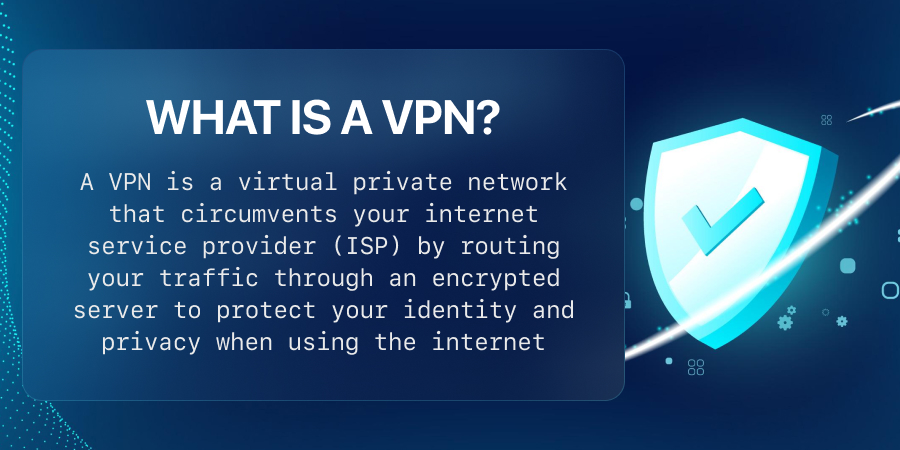
What is a VPN? A VPN helps establish a secure encrypted connection between your computer and the internet. This encrypted tunnel ensures that your online movements are kept private and hidden from prying eyes.
Using the best VPNs, you can bypass firewalls and change your IP address to access restricted websites based on geographical location. An internet protocol (IP) address is a unique numerical identifier to identify internet access points.
These addresses can reveal browsing histories and the actual locations of devices. If you allow your devices to reveal their exact positions, third-party data miners and hackers can seriously threaten your safety and privacy.
When you use the best VPNs, your IP address is hidden and replaced with the IP address of the VPN service provider, which helps to protect your online identity. Encrypting your internet traffic with some of the best VPNs can prevent data breaches and hackers from accessing your information, keep your browsing and purchase history private, and protect your finances.
However, it should be noted that the best VPNs do not guarantee complete anonymity or protection against hacking. To ensure safety, avoiding opening attachments from unknown sources and clicking on unfamiliar URLs is important.
Best VPNs: Should You Use a VPN Constantly?
Using the best VPNs constantly brings about multiple benefits, such as:
- Protection in Wi-Fi and public networks: The risk of cyberattacks is increased when using public Wi-Fi networks, as there’s a risk of a fraudulent network that appears legitimate being connected to your device without your awareness. A VPN service ensures your online privacy and security.
- Protection from hacking and identity theft: There’s a risk of hacking and identity theft when conducting financial activities online, such as cryptocurrency transactions. The best VPNs for cryptocurrency transactions, like Norton Secure VPN, offer a safe tunnel for any transaction you carry out online.
- Protection of data from third-party advertisers: If you don’t use a virtual private network (VPN), your personal information may be sold to advertisers by your Internet service provider and other third parties. This information will be used to display tailored advertisements for you.
- Safety while browsing sites: All websites do not offer the same level of safety, as some may pose higher risks than others. To ensure enhanced safety while browsing, it’s recommended to use the best VPNs regularly, especially when accessing insecure websites that lack the HTTPS extension.
- Аccess otherwise blocked content and download and play at higher speeds: Internet service providers (ISPs) may limit gamers’ access by slowing their internet speed or imposing geographical restrictions. However, by using the best VPNs, users can bypass these restrictions, enjoy watching movies from different countries, and improve their gaming experience.
Best VPNs: Do VPN Providers Sell Your Data?
Although VPNs are intended to keep your internet history confidential, some may sell your browsing data to third parties. If you want to prevent your data from being sold to third-party advertisers, it’s best to opt for trusted VPN services, particularly well-known ones with clear privacy policies, like Avast VPN.
Your VPN usage logs document your online actions, visited websites, and user identities used during internet sessions. Your VPN connection logs record the amount of data you consume, the time you connect, the duration of the session, and the frequency of your connections.
Keep in mind that some of the best VPNs may occasionally maintain such logs for troubleshooting purposes and to improve the quality of their service.
Best VPNs: What Is VPN Encryption?
If you transmit information over the internet or through your bank account without encryption, anyone can access it. However, encryption can prevent unauthorized access by only allowing approved users to decode the information.
To ensure secure transmission, some of the best VPNs use AES 256-bit encryption, carried over connection protocols such as OpenVPN, WireGuard and IKEv2.
Best VPNs: What Are Split Tunneling and Multi-Hop Connections?
Split tunneling allows you to select which applications use the VPN to connect to the internet and which don’t.
Multi-hop connections, on the other hand, use multiple servers to help conceal your IP address. It’s important to understand these phrases when researching the best VPNs.
Best VPNs: What Is a Server?
A server is a powerful computer responsible for managing and storing networks, network systems, and devices. A VPN server is typically composed of software installed on a regular server.
The best VPNs commonly use both virtual and physical servers, with virtual servers not requiring actual hardware to operate.
However, having too few servers can slow down even the best VPNs, as each server can only accommodate a limited number of users at once.
This also means that having more servers can provide more IP addresses and a more reliable connection than a VPN with fewer servers.
Best VPNs: How Can You Choose the Best VPN for You?
How to choose the best VPN? To choose the best VPN service for your needs, it’s important to determine whether the VPN service provider you’re considering provides the following:
- Offers risk-free trials or refunds.
- Provides round-the-clock assistance.
- Allows for the necessary number of simultaneous connections.
- Provides dependable server coverage near you.
- No matter which operating system you have, it works across all of your devices.
- Provides connections at a fast speed.
- Maintains no logs and does not sell your information.
- Use advanced encryption techniques.
It’s important to consider the additional features that each service provides, such as ad blocking, streaming unblocking, security layers, and transparency. Reading reviews from consumers, tech-savvy individuals, and neutral parties can provide a better understanding of each service provider.
After narrowing down suitable candidates, it’s necessary to consider the monthly and yearly expenses and any promotions such as free months of service.
While annual subscriptions may offer substantial savings, enrolling in a free trial first is a good idea. This way, you can test the VPN and make sure it meets your expectations before committing.